{subtitle}
First Builds
A month into the school year, a morning to play. {Length} to build working tools with AI, break a few on purpose, and leave with something worth showing a colleague on Monday. Nobody here is a software developer by trade. We're all learners, and that's the point.
- {length:number}{length:unit}, start to finish
- 3levels of getting started with code
- 8starters to play and remix
- 4people at most in each breakout room

{org}
Kit · Building with AI
First Builds
Small tools you can build with AI in twenty minutes to an afternoon, for people who run classrooms, schools, and meetings. You copy and paste and ask for changes; the AI writes the code.
Works on your own, any day. Free to use and to change.
Play a starter Running it for a group?
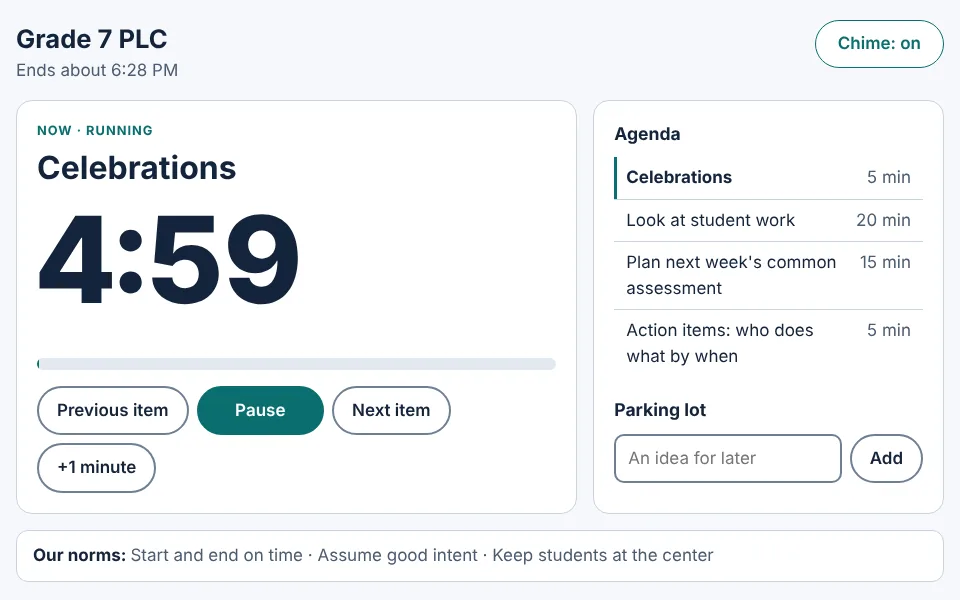 A meeting timer
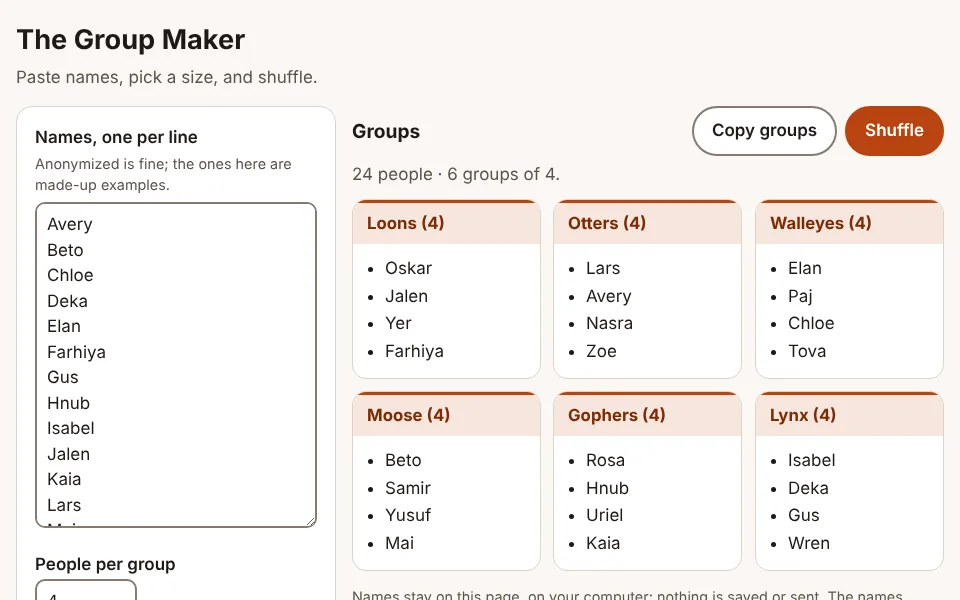 A group maker
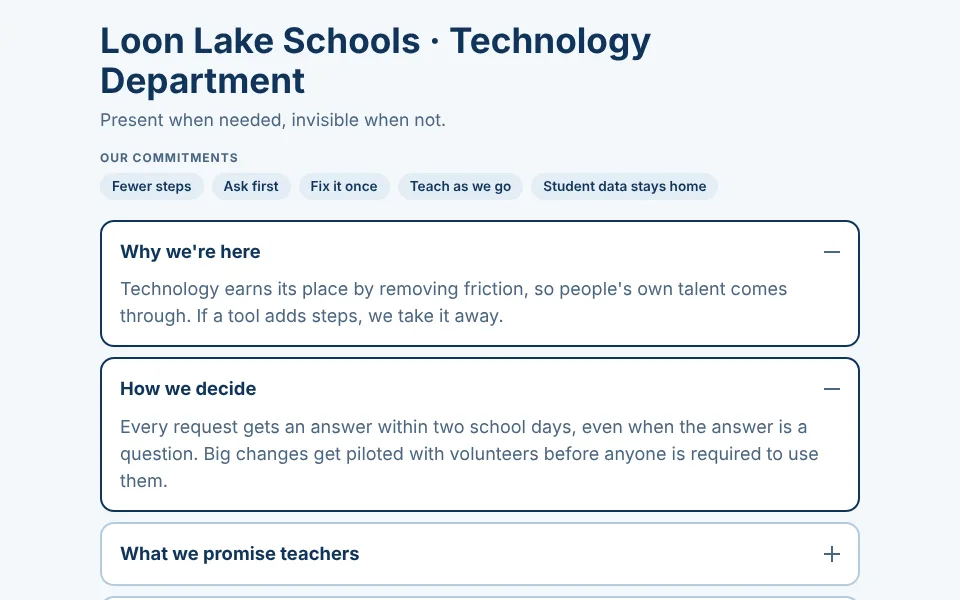 A page for your Google Site
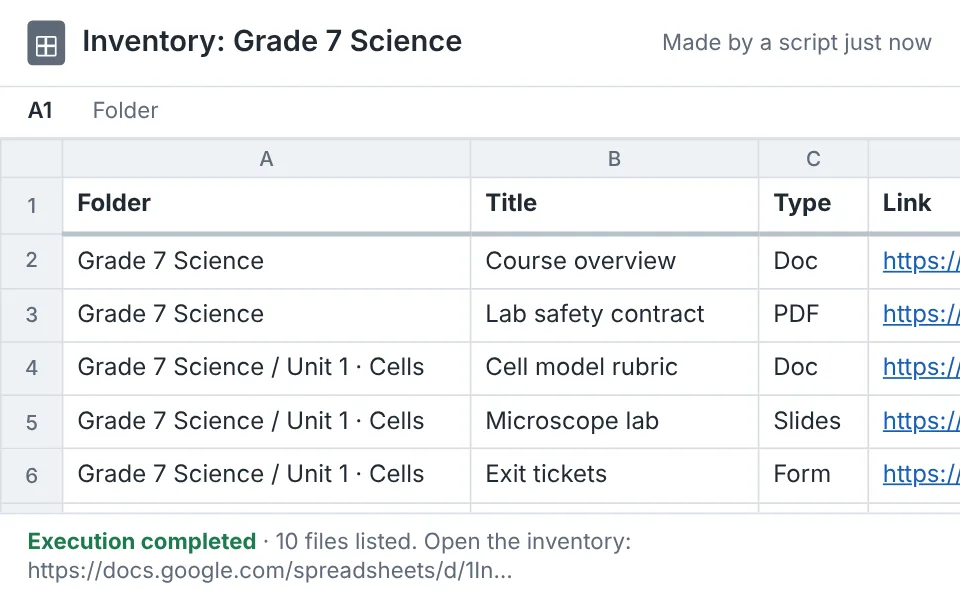 A script that lists everything in a folder
{org}First run live as Hands On, {weekday}, {date}, {year}
On your own? Start here
Twenty minutes, a laptop or Chromebook, and an AI chat you can sign in to: Gemini with your school Google account, ChatGPT, or Claude. Open it in another tab first. Use made-up names and made-up data in everything you try.
- 1Play a starterA small tool that already works: a meeting timer, a group maker, a feedback builder. Press Play and try it.Open the starters
- 2Hand it to your AIPress Copy for my AI, paste into your chat, and send. In a few seconds the same tool is running beside the conversation, and it's yours to change.Where to paste it
- 3Ask for one change"Use our school colors." Then another. When it breaks, tell the AI exactly what you see. Still broken after two tries? Start a new chat and paste the starter again; that counts.Then invent your own
Want more than the chat? The three levels go from a tool in your chat, to a page on your Google Site, to a script that works inside your Drive.
Show & Cheer
A few builders share their screens for {share} each. Applause first, emoji welcome. Then one question for each builder: who would you show this to?
- Most Delightfully BrokenFor the most glorious error message of the morning.
- Best RescueFor the save that made the room cheer.
- Most Likely to Actually Get UsedFor the one somebody will really open next week.
What did we just do?
Every machine today started with a person, passed through an AI, and came back to a person who decided whether it was any good.
I wonder…
What did today make you curious about?
I worry…
What did today make you uneasy about?
One word
In the chat: one word for how you're leaving.
Where this goes
- In the chat. A tool inside your AI chat. Twenty minutes.
- On your site. A page on your Google Site. An hour.
- Behind the scenes. A script in your Drive. An afternoon.
Beyond the three
With a workbench. An app where the AI edits the files on your computer instead of chatting (Claude Code, Codex, Cursor). For when level three feels easy, and usually not allowed on a district laptop.
Each level, with its prompt and its script: the three levels.
Next time
{next}
Before you come
- A laptop or Chromebook. Building needs a keyboard. On a phone, you can watch and cheer.
- An AI tool you can log in to. Gemini with your school Google account, Claude, or ChatGPT. Check that you can open it before {weekday}.
- An idea. Something small you'd want for your work. No idea yet? We have a jar of them.
- A level in mind, maybe. Three levels of getting started with code: in the chat, on your site, behind the scenes. You pick on the day, and any level is a good level.
- A backup, in case this site is blocked on your school network. The same session and the same starters, as Google Slides: and .
The morning
Everything here
What people asked, showed, and shared at each session, starting with the first run: From the room.
Run it with your own team
The whole two-hour session is here, written for people who don't code, with the co-host's part spelled out.
- What's here
- The run of show, a full-screen slideshow with its own timers to share in your video call, speaker notes that follow it from a second window, and chat messages ready to paste.
- Run it as it is
- On any day: the slideshow moves when you press next, and you post your own Meet link and your own copies of two Google files, the Breakout Planner and the walls deck, in the chat.
- What you give up
- On a day other than the first run's, this home page shows your group the kit, not your schedule, so your chat says what's next.
Make it yours on GitHub (optional)
For someone comfortable with GitHub: copy the kit and change one text file of times and links, and the clock, the links, and the names on every page become yours, at your own web address.
Show one person
Built something? Show it on your screen, then send them this so they can build their own.
Messagesend it to the person you showed
I built a small tool with AI in about 20 minutes. You can make your own here: https://{url}